 811e1f2b54
#196 added the flexibility to index.html to be used in subdirectories. Unfortunately this broke the language menu in multihost settings. Both functionalities are made to work now by checking the `hugo.IsMultihost` condition. This makes the code somewhat harder to read, but at least ensures that the regression is fixed. Fixes: #214 Signed-off-by: Daniel Holbach <daniel.holbach@gmail.com> |
||
|---|---|---|
| .github | ||
| archetypes | ||
| assets | ||
| exampleSite | ||
| i18n | ||
| images | ||
| layouts | ||
| static/webfonts | ||
| .gitignore | ||
| .prettierignore | ||
| .prettierrc.json | ||
| CHANGELOG.md | ||
| contributing.md | ||
| LICENSE | ||
| netlify.toml | ||
| package-lock.json | ||
| package.json | ||
| README.md | ||
| theme.toml | ||
Hugo Scroll 📜 Demo
Clean, responsive, single-page Hugo website theme.




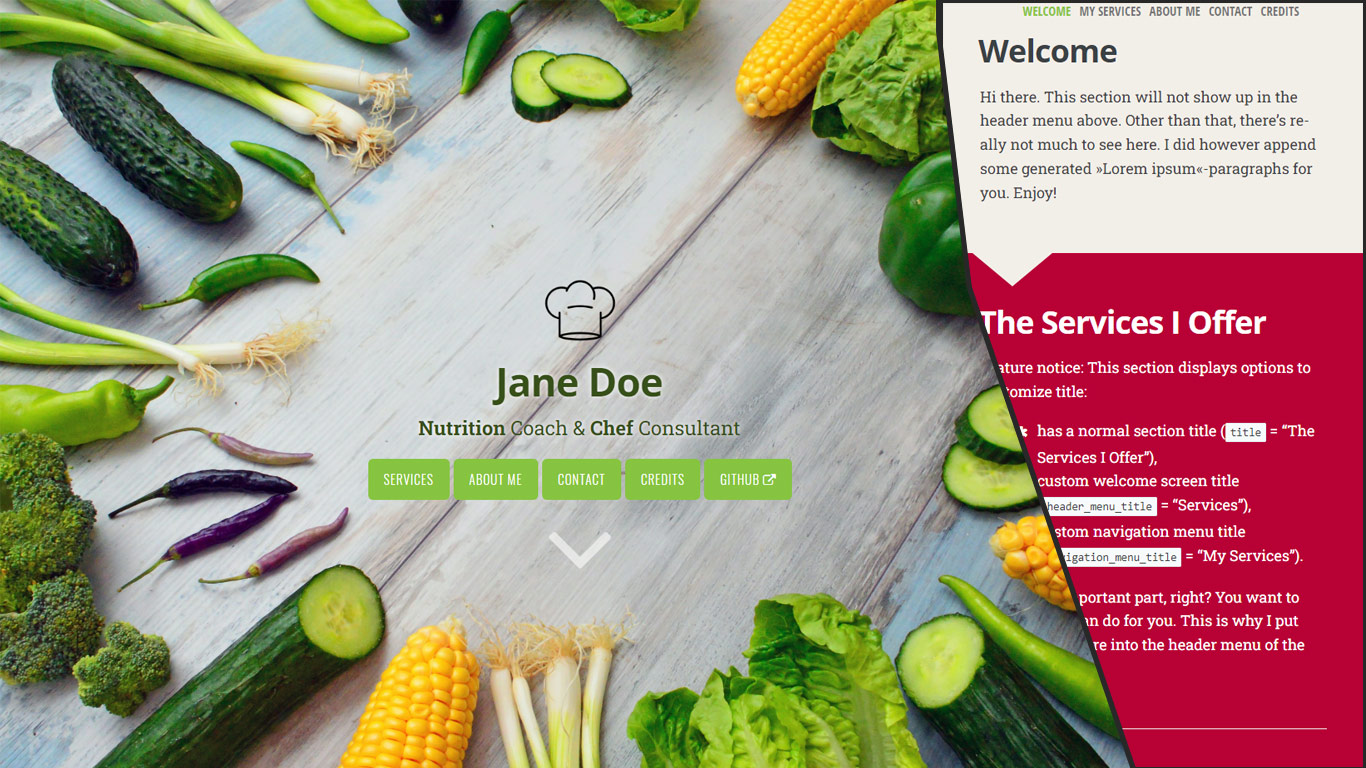
Promo image which may be a bit outdated:
⭐ Feature highlights
- Responsive to screen size/shape
- SEO friendly
- Customizable
- Video cover
- Font Awesome v6.6.0 Icons out of the box
- Header logo
- Visual guards to guarantee readability
- External links
- JS/CSS Assets optimized (Minification, Fingerprinting, pipeline-processed into single file)
- git info in footer (opt-in)
🔑 Installation
You need to install Hugo extended version. If you already have a Hugo site on your machine, you can simply add this theme via
git submodule add https://github.com/zjedi/hugo-scroll.git themes/hugo-scroll
Then, adjust the hugo.toml as detailed below & in the file comments.
Playing around with our example site
If you simply want to check out the exampleSite, you can run
git clone https://github.com/zjedi/hugo-scroll.git hugo-scroll
cd hugo-scroll
hugo server --source=exampleSite --themesDir=../..
For more information, read the official Hugo setup guide.
If you are starting fresh, simply copy over the contents of the exampleSite-directory included in this theme to your source directory. That should give you a good idea about how things work, and then you can go on from there to make the site your own.
Please check out the hugo.toml included in the exampleSite of this theme.
You can add a new section to the homepage by running hugo new homepage/my-new-content.md (or craft the file manually)
To create a page separate from the homepage, run hugo new my-new-page.md
🔧 Feature details 🔨
Customizing CSS
Add a custom_head.html file to your layouts/partials directory.
- You can use
<style>tag to embed the overrides (better performance-wise) - Alternatively you can
<link>your owncustom.css
CSS variables var(--some-var-name) from assets\css\variables.scss can be overridden by adding
:root {
  --some-var-name: blue!important;
}
Icons
This theme includes the full set of Font Awesome v6.6.0 icons. Use the {{< icon >}} shortcode with the respective name to use an icon directly in your .md files. For example:
{{< icon name="envelope" >}}
If you want to use one of Font Awesome's brand icons—the ones that have a trademark warning and the fa-brands class—add brand=true. For example:
{{< icon name="github" brand=true >}}
If you want to use these branded icons in your contact list, use the full class names in your hugo.toml:
[[params.contacts]]
  label = "GitHub"
  value = "github.com/zjedi/hugo-scroll"
  url = "https://github.com/zjedi/hugo-scroll"
  icon = "fa-brands fa-github"
Header logo
Configured in _index.md, see exampleSite: header_logo: "images/chef-hat.png"
Video cover
Set header_use_video: true in /exampleSite/content/_index.md and define video source via custom partial, such as exampleSite/layouts/partials/custom_header_video.html.
Footer version information
In order to see technical version information (extracted from Hugo's GitInfo)) set the following general option in your hugo.toml: enableGitInfo = true
External links
You can add an external link in the menu, see external.md in the exampleSite.
You can also use extlink shortcode to create a link opening in a new tab:
Visit us at {{<extlink text="Instagram" href="https://www.instagram.com/yourInstagramName/">}}
Referencing and showing icons in front of the link text is possible with a new parameter icon:
Visit us at {{<extlink icon="fa fa-instagram" text="Instagram" href="https://www.instagram.com/yourInstagramName/">}}
🐛 Issues / 💡 Feedback / 👑 Contributing
Discussion for Q&A (when unsure), Issues for tracking, Pull Requests for contributions.
See contributing guideline for more.
👏 Special Thanks
- Jan Raasch, original author of theme
- Yonatan Wolowelsky, author of GhostScroll theme, which formed the basis of this Hugo theme.
- Pexels, for supplying free stock photos.